
Convert your files
    to PDF format

    Free application that can be accessed on your Windows computer any time to convert files to PDF format
    How it works

    How to convert a file to PDF format

    Step 1

    Download & install
    the program

    Step 2

    Open the program
    & choose your file

    Step 3

    Save your converted file
    to your computer

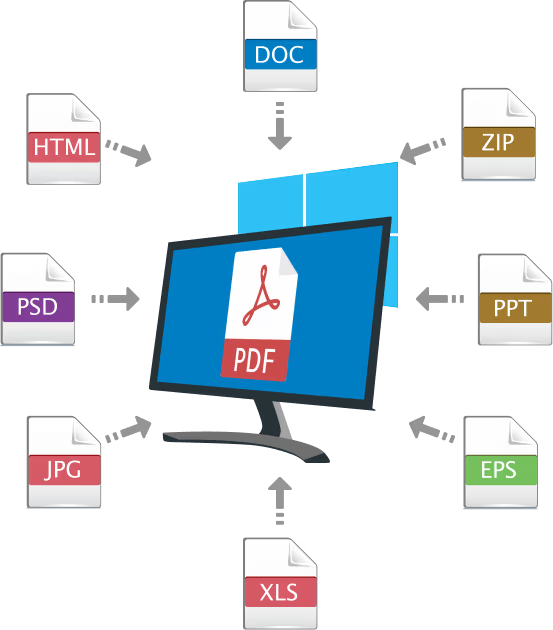
    Files that can be converted to PDF format​

    Word to PDF

    Excel to PDF

    Powerpoint to PDF

    JPG to PDF

    AutoCAD to PDF

    OpenOffice to PDF

    eBooks to PDF

    iWork to PDF

    PDF to Word

    PDF to Excel

    PDF to Powerpoint

    PDF to JPG

    PDF to PNG

    PDF to PDF/A

    Merge PDF

    Split PDF

    Protect PDF

    Tools

    Verified and secured by

    Testimonials

    What people say about us?

    Why Choose us

    Your Go-To PDF Conversion Tool For Windows OS Users

    Enhanced Privacy

    Your files never leave your desktop or laptop ensuring that sensitive documents remain private and secure on your local computer.

    No File Size Limits

    With a software application, you can convert large documents without file size limitations.

    No Cloud or External Servers

    Your files are processed entirely on your device, eliminating the risk of data breaches associated with cloud-based processing and storage.

    No Internet Required

    Convert PDFs anytime, anywhere without the need for an internet connection, making it ideal for remote work or travel.

    Extensive File Types

    Convert the most common and uncommon file types to a PDF quickly and easily.

    No License or Free Trial

    Once installed, your PDF converter is yours to use forever—no subscriptions, no limitations.

    Confirm you're a real person to receive your free PDF converter.